

High Quality Inkjet Printer Inks: How to Select the Best for Vibrant, Long-Lasting Prints
2026-10-24
The difference between a print that pops and one that fades into disappointment often comes down to a single variable: the ink. Whether you're producing gallery-quality photos or everyday documents, selecting the right high-quality inkjet ink can feel overwhelming. That's where Danmajet steps in—offering clarity and performance. Before you buy another cartridge, let's look at what actually matters for vibrant, long-lasting prints.
Pigment vs. Dye: Choosing the Ink That Won't Fade First
Walk into any art supply aisle and you'll see the word "pigment" printed on expensive tubes while cheaper sets quietly rely on dye-based inks. The difference isn't just marketing fluff—it's the core reason some prints look vibrant for decades and others turn ghostly in a single summer. Pigment particles sit on the surface of the paper, locked in a binder that shields them from UV rays and humidity. Dyes, by contrast, soak into the fibers. That gives them a head start in brilliance, but it also makes them vulnerable. Every photon of sunlight, every trace of ozone in the air, slowly snips apart the dye molecules. Pigment, being a solid speck rather than a dissolved chemical, simply doesn't offer the same attack points.
The real test comes when you hang a printed photo near a window. In six months, a dye-based print will often shift toward magenta or fade in the highlights, especially if you skipped the expensive archival spray. A pigment print, assuming you used a decent cotton rag paper, will look almost identical. That's why museums and galleries have quietly standardized on pigment inks for anything meant to outlast the artist. You pay more per milliliter—sometimes twice as much—but you're buying decades, not seasons. If your work will ever be shown in indirect daylight or passed down to someone who won't keep it in a dark drawer, pigment is the only honest choice.
There's a practical middle path, though. Dye inks still excel for backlit displays, quick proofing, or any project where the print will live in an album or a closed portfolio. The colors can be shockingly intense right out of the printer, and the ink itself is less likely to clog nozzles. But if you're printing something you care about—a wedding photo, a limited edition, a piece you'll sign—don't gamble. Buy a pigment-based printer or send the file to a lab that uses one. The upfront cost stings less than watching your work fade into a pale, apologetic version of itself a year later.
The Real Meaning of Viscosity and Surface Tension in Ink Specs
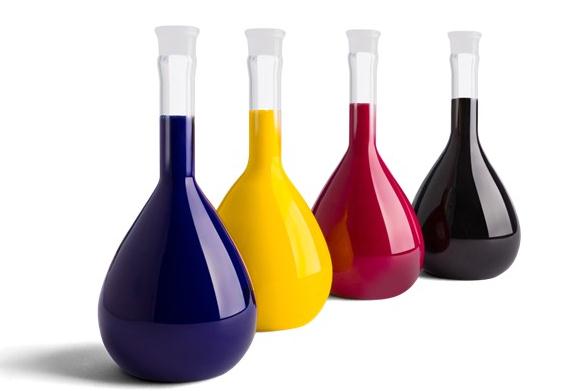
When a datasheet lists viscosity, it's not just a number for the lab. It describes how the ink resists flowing under its own weight, which directly shapes how it transfers from roller to plate to substrate. A high-viscosity ink tends to sit up on the surface, giving sharp dots and less dot gain, but it demands more energy to move and can starve fine lines if the press speed isn't matched. A low-viscosity ink spreads more easily, filling recesses and smoothing out laydown, but the trade-off is a softer edge and a higher chance of emulsification with fountain solution. The real meaning lies in matching that resistance to the press design, the speed, and the absorbency of the stock.
Surface tension, on the other hand, governs how the ink wets the substrate. It is the skin-like force at the ink-air interface that pulls it into a bead or lets it flatten out. If the surface tension of the ink is higher than the surface energy of the substrate, the ink will retract, leaving pinholes or a mottled film. If it's lower, the ink wets readily, but it may also crawl into porous fibers and lose gloss or alter color strength. Formulators often tune this with surfactants, but the spec alone rarely tells you how it behaves on a particular board or film. That's because surface tension changes with temperature, evaporation of solvents, and the dynamic conditions at the nip.
Taken together, viscosity and surface tension are not independent dials. A change in viscosity—through the addition of a thickener or a reduction with solvent—almost always shifts surface tension, and vice versa. That coupling is what makes ink specs feel opaque. The spec sheet gives you a snapshot at one temperature and one shear rate, but on a running press, shear rates vary from the ink duct to the nip, and temperatures climb after an hour of running. A smart press operator reads both numbers not as fixed values, but as a map of how the ink will behave when it is squeezed, stretched, and pulled apart at speed.
Color Gamut and Density: The Difference Between Dull and Vibrant
Think of color gamut as the palette a screen or printer has to work with. A wide gamut, like DCI-P3 or Adobe RGB, lets a device reach deeper reds, electric blues, and lush greens that fall outside the basic sRGB range. When a display can't touch those outer colors, an image that was vivid on set suddenly looks muted, as if someone pulled the saturation slider down a few notches.
Density, on the other hand, controls how heavily color sits on the surface. In print, higher ink density produces richer, more opaque tones and better shadow detail; too little density leaves everything thin and washed out. On a display, density relates to luminance and bit depth—the ability to distinguish many close shades so gradients stay smooth instead of banding into flat, lifeless patches.
The line between dull and vibrant usually comes down to how these two factors interact. A display with a wide gamut but poor density can show bright, saturated hues that still feel flat because there is not enough tonal separation to define edges and depth. Conversely, strong density inside a narrow gamut can give you deep contrast, but the missing colors will make reds look brownish and blues turn muddy. Get both right, and the image stops looking like a reproduction and starts feeling like the real scene.
Lightfastness: The Test Every Long-Lasting Print Must Pass
Fading rarely announces itself. A print that once held deep blacks and saturated reds can, over months near a window, slip into a ghost of itself. Lightfastness measures that resistance—how long pigments and substrates hold their ground under UV and visible light. Without it, longevity is just a promise.
In practice, you don't need a lab coat to appreciate the difference. A print rated for high lightfastness uses pigments that refuse to surrender their bonds, even after hundreds of hours under artificial daylight. Lower ratings might look fine on day one, but give them a year of indirect sun and the shift becomes obvious to anyone paying attention.
For anyone selling or hanging work, the test separates prints that belong in a drawer from those that can live on a wall. It's not about chasing permanence—no print survives forever—but about choosing materials that age with dignity rather than falling apart.
Why Your Printer's Nozzles Care Which Ink You Buy
The tiny openings in a printhead are unforgiving critics. They were engineered with a specific ink chemistry in mind—viscosity, pigment size, drying speed—and when a third-party cartridge pours in something slightly off, the nozzles notice immediately. Even a micron of difference in pigment grind can clog channels that are thinner than a human hair.
It's not just about blockages. The ink also acts as a coolant and lubricant for the firing resistors. A formulation that runs hotter or leaves residue will degrade the nozzle plate over time, leading to misdirected sprays and permanent banding. The printer doesn't know what you bought; it only feels the consequences.
Cheap ink often skips the additives that keep pigment suspended evenly. Halfway through a cartridge, you'll see color shifts or missing dots because the heavier particles settled. The nozzles can't adapt, so the print quality swings wildly. In the end, the money saved on ink gets spent on cleaning cycles and replacement heads.
Paper and Ink Pairings: Chemistry That Can't Be Ignored
The relationship between paper and ink is less about preference and more about physics. A heavily sized, smooth sheet repels water-based inks just enough to keep lines crisp, while an unsized cotton paper drinks them in, spreading fibers into soft, feathered edges. The same ink can look surgical on one surface and almost blurry on another.
PH plays a quiet but stubborn role. Acidic papers gradually eat away at iron gall inks, turning deep black into rusty brown over decades. Alkaline buffered sheets, often marketed as archival, can shift dye-based colors into unexpected territory. Knowing the chemical lean of both materials saves a lot of heartbreak later.
Then there’s the matter of drying. Coated stocks force ink to sit on top and oxidize rather than absorb, which is why some combinations smudge long after they look set. Uncoated sheets pull the vehicle away quickly, leaving pigment stranded on the surface. Testing a corner before committing to a full page remains the cheapest chemistry experiment you’ll ever run.
FAQ
Make sure the ink is compatible with your specific printer model and that you know whether it uses dye-based or pigment-based cartridges. The wrong type can clog the print head or fade much faster than expected.
Dye-based inks typically produce brighter, more saturated colors, especially on glossy photo paper. Pigment inks may look slightly less punchy but hold up better against light and moisture, so your choice depends on how long the print needs to last.
Paper matters more than many people realize. A coated inkjet paper or photo paper lets the ink sit properly on the surface, keeping colors sharp and preventing blur, while plain copy paper can soak up too much ink and leave the image looking muddy.
Original cartridges are engineered to match your printer's output, and they usually offer the most consistent results. Good third-party inks from reputable manufacturers can work well too, but there is often more variation between batches, so test a small set before printing a large project.
You can do a side-by-side window test: print the same image twice, cover half of each print with a thick card, and place them where they get indirect daylight. After two or three weeks, compare the covered and uncovered areas to see how much color loss you can expect.
Keep unopened cartridges in a cool, dark place and avoid extreme temperature swings. Once opened, use them within six months or so, and if you are using pigment ink, gently roll the cartridge in your hands before installing it to resuspend settled particles.
Smudging usually happens when the ink has not fully dried, especially with pigment inks on coated photo paper. Wait a few minutes before stacking or framing prints, and if smudging is a constant problem, try a paper with a faster-drying coating or adjust the printer's drying time setting.
Yes, a dirty or partially clogged print head can cause banding, missing colors, and uneven coverage. Running the printer's built-in cleaning cycle every few weeks and printing a small test page regularly keeps the nozzles clear and the ink flowing evenly.
Conclusion
The first decision that actually affects how long your prints stay vibrant is pigment versus dye. Pigment inks use tiny solid particles that sit on top of the paper and can outlast dye-based inks by decades under normal indoor lighting. Dye inks, while often brighter straight out of the printer, tend to break down faster when exposed to UV or humidity. After settling that choice, pay attention to viscosity and surface tension. These two specs control how the ink flows through the printhead and forms droplets, so an ink that looks fine in the bottle can still cause clogged nozzles or banding if it doesn’t match your printer’s engineering.
Color gamut and density separate flat, washed-out images from ones with depth and punch. A wider gamut means the ink can hit more saturated reds, greens, and blues, while density keeps black areas rich without turning shadows into solid blobs. For long-term display, look up lightfastness test results rather than vague claims—accelerated UV testing gives a better sense of how many years the print will actually hold up. And don’t ignore the paper side of the equation. Microporous coated papers lock pigment on the surface for maximum sharpness, but some matte and fine art stocks react badly with certain inks, causing bronzing or slow drying. Running a small test on your chosen paper is the only way to know if the pairing truly works.
Contact Us
Contact Person: Jacky
Email: [email protected]
Tel/WhatsApp: 086 15000607053
Website: https://www.danmajet.com